
A group program is one plan shared by several athletes. You write it once, with loads in % of 1RM, then add athletes to it. Each athlete gets their own linked copy, with weights worked out from their own maxes. When you change the group program, every athlete's copy changes with it.
Group programs work best for athletes training on the same cycle at the same time: a squad, a class, or a team heading to the same meet.
Group programs, individual programs and blueprints
| What it is | Do changes reach athletes later? | |
|---|---|---|
| Individual program | A plan for one athlete, in real weights. | It is the athlete's program. |
| Group program | One plan in %, linked to many athletes. | Yes. Edit the group and everyone's copy updates. |
| Blueprint | A reusable plan you apply when you need it. | No. Applying makes a one-time copy. |
If you want a plan you can reuse next year, use a blueprint. If you want to coach a group through a cycle right now and make each change once, use a group program.
Create a group program
Open Programs from the sidebar. Group programs have their own Group tab.
To start a new one, click New program and choose Group program. It opens straight away in the program editor.
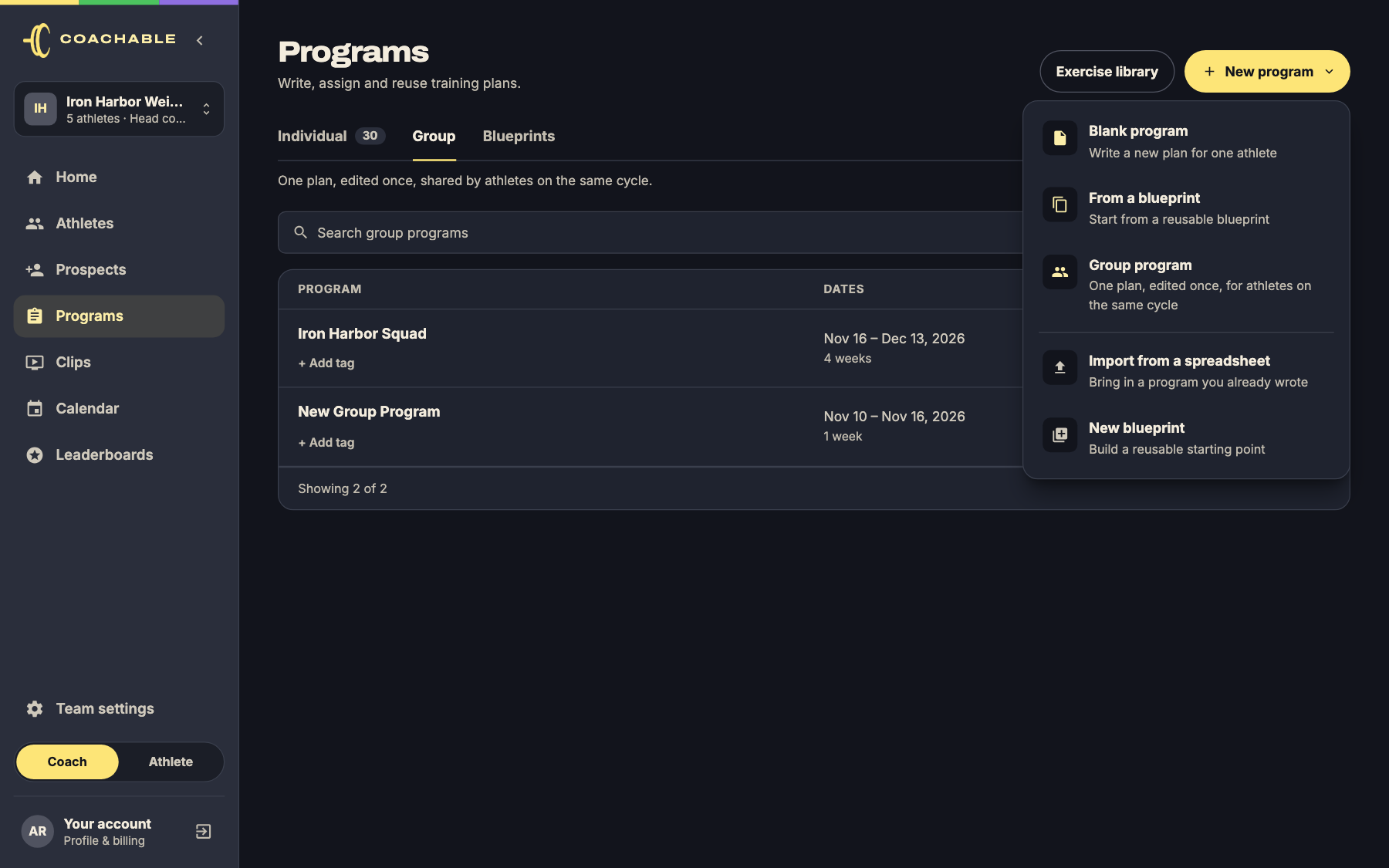
You can also make group programs from a blueprint: click Apply to athletes, choose Group program, and Coachable creates one group program for each block.
Write the plan
The group program editor is the same editor you use for individual programs: weeks, days, sessions, exercises and sets all work the same way.
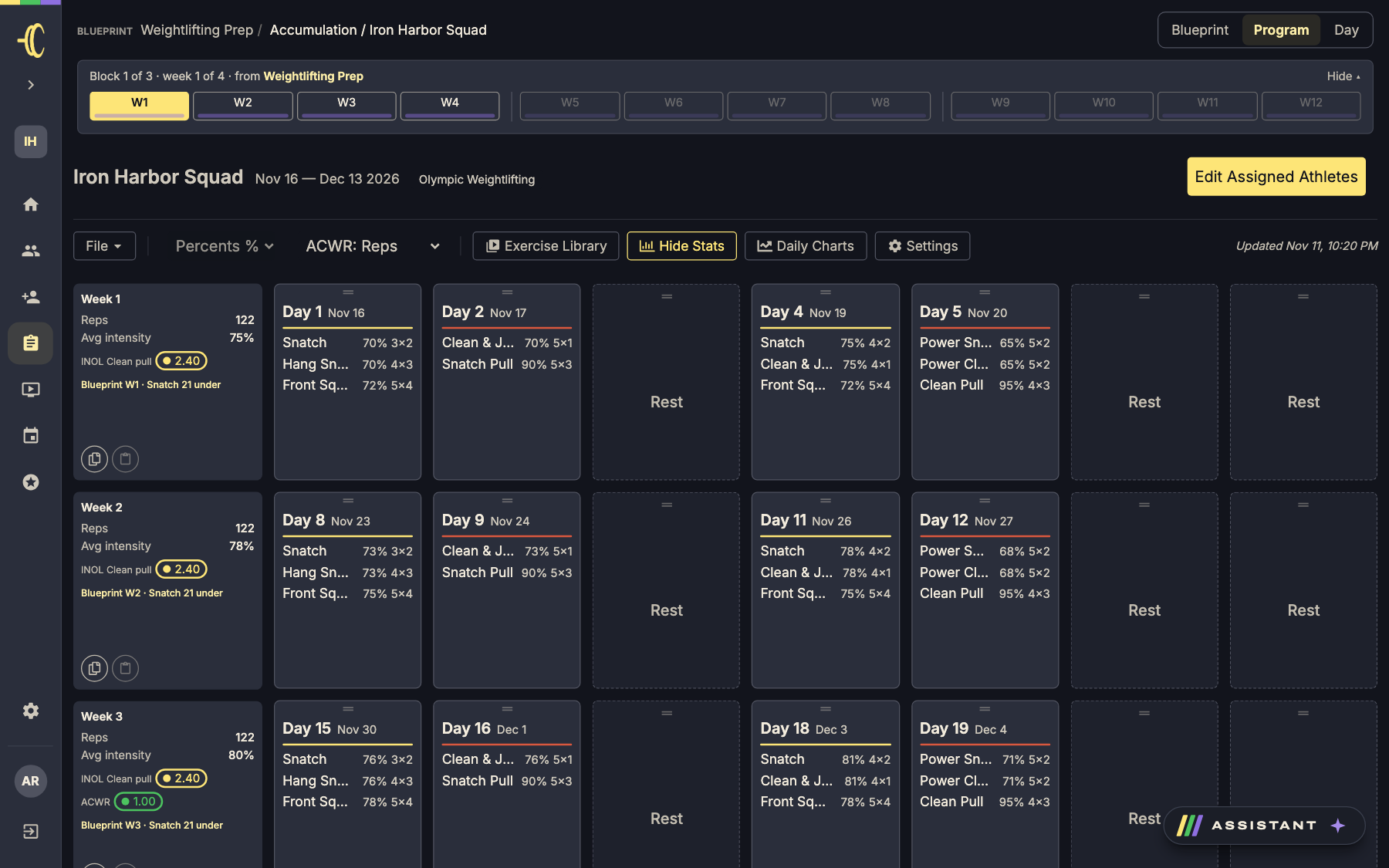
The difference is that a group program has no athlete, so it has no maxes. Write every set as a % of max and Coachable turns it into a weight for each athlete. Tonnage in the group program shows as 0 kg for the same reason.
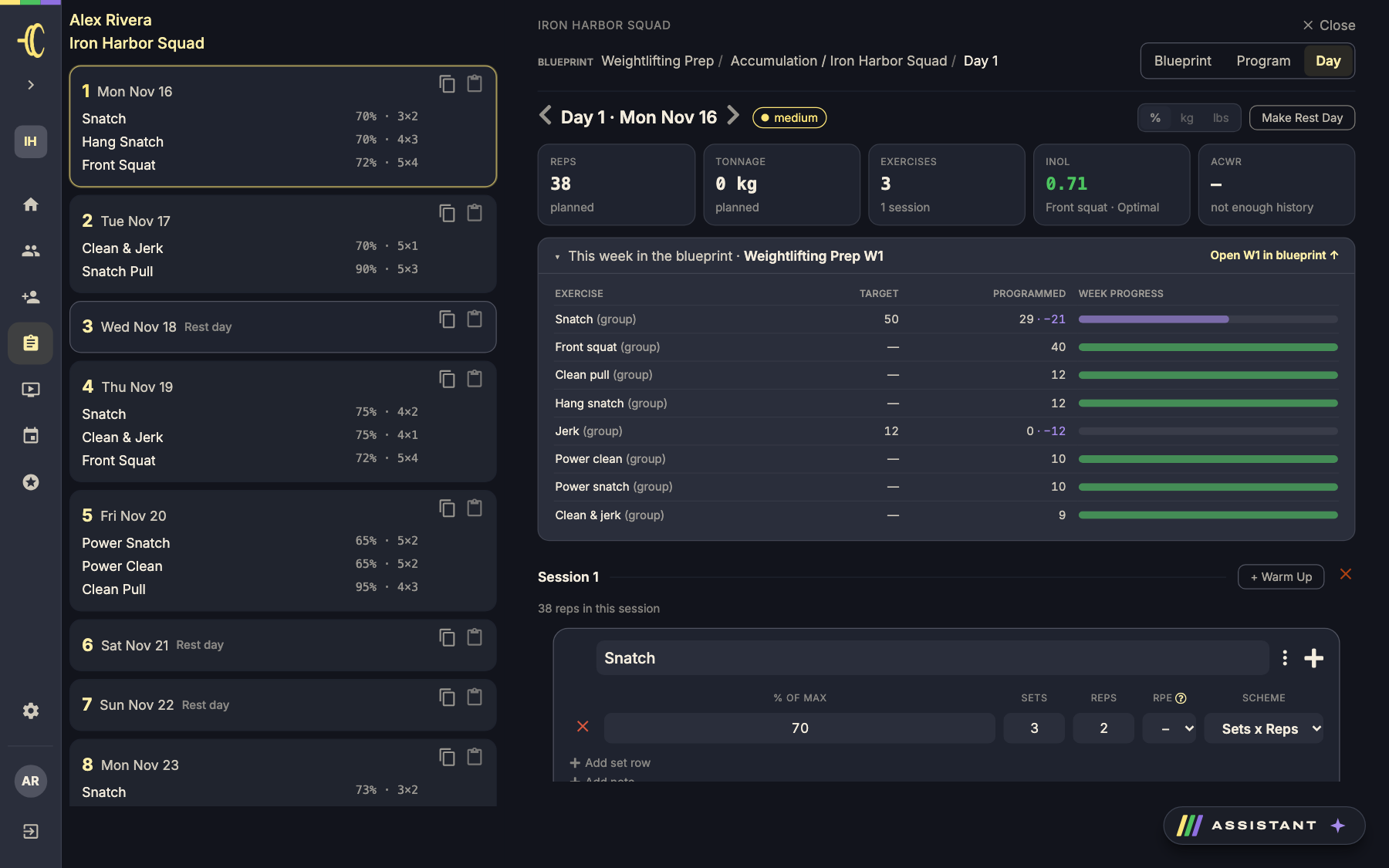
Tip: Write and check the whole first week or two before you add athletes. You can keep editing afterwards, but it's easier to get the structure right first.
Add athletes
Click Edit Assigned Athletes at the top right of the group program. Turn on everyone who should follow the plan and click Save Changes.
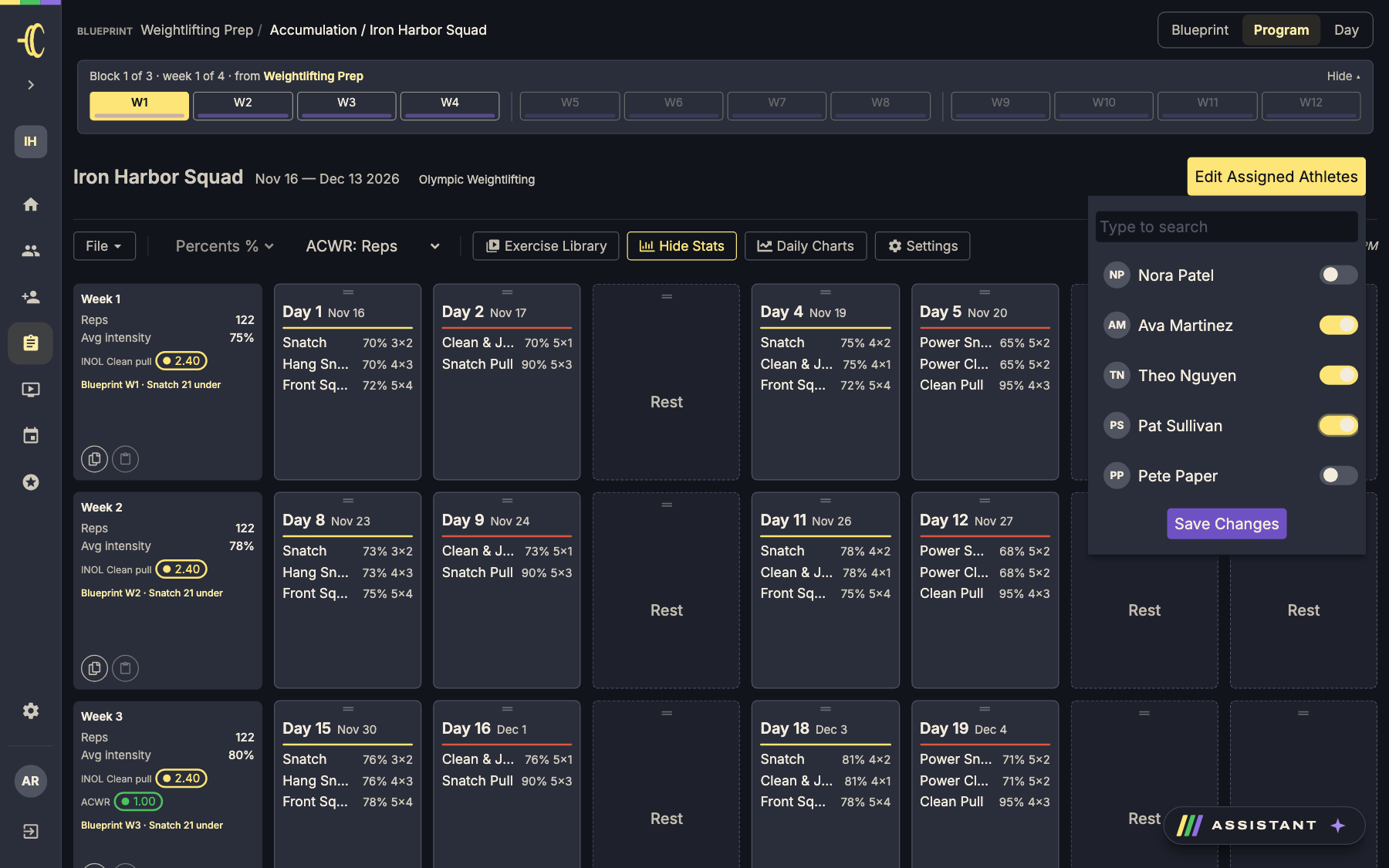
For each athlete you add, Coachable:
- Creates their own copy of the program, named after the group with the athlete's name in brackets (for example Iron Harbor Squad (Ava Martinez)).
- Works out every weight from the athlete's current maxes: % of max × their best estimated 1RM for that lift.
- Makes it the athlete's current program, so it's what they see when they open the app.
Their copy is a normal program. You can open it from Programs or the athlete's page, and the athlete logs workouts in it as usual.
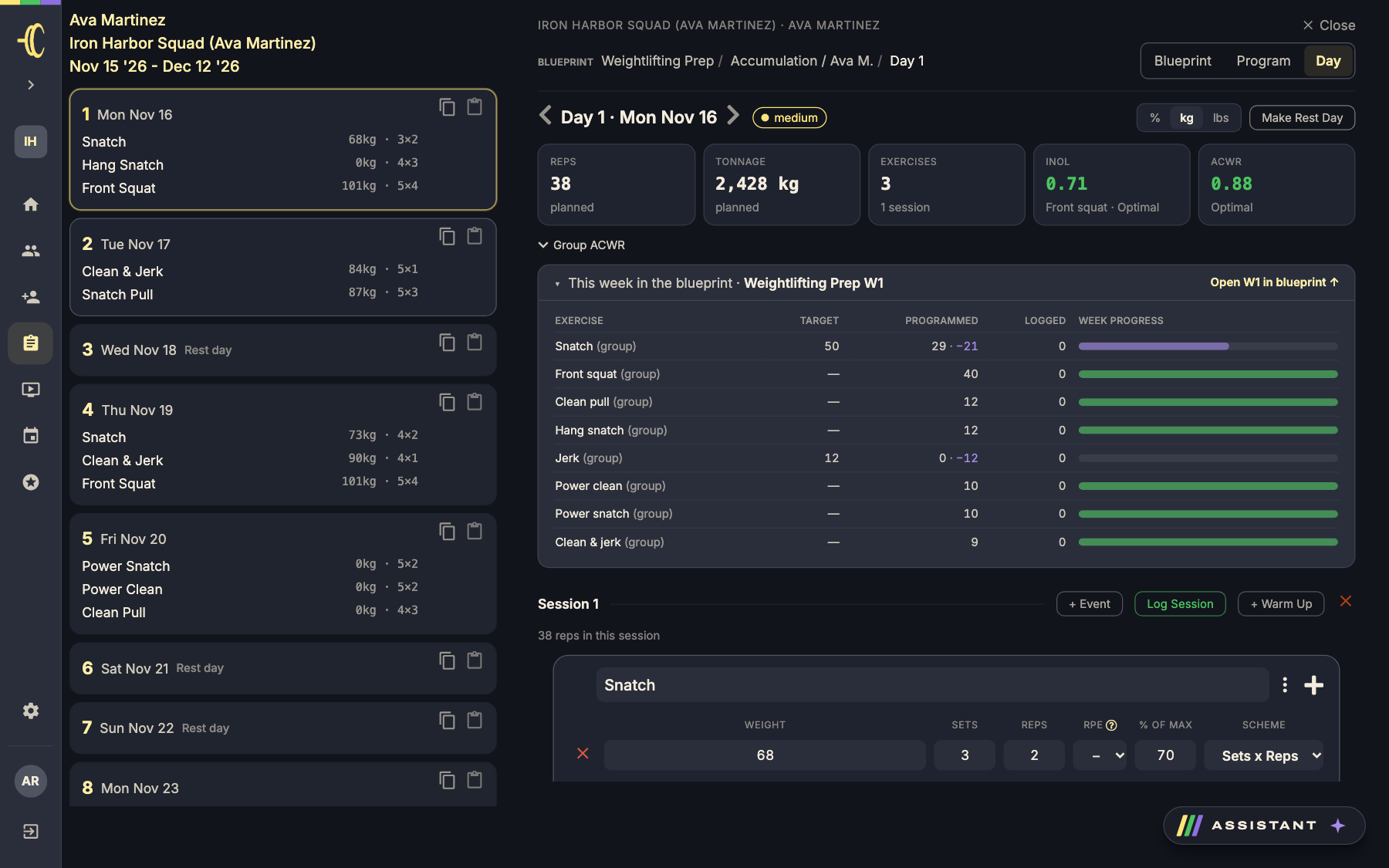
Good to know: If an athlete has no max recorded for a lift, that lift shows 0 kg in their copy. Add the max on their records page and those 0 kg sets fill in automatically, as long as the athlete hasn't started that exercise yet.
How syncing works
Every day, session, exercise and set in an athlete's copy stays linked to the matching part of the group program.
When you edit the group program
| You change… | What happens to each athlete's copy |
|---|---|
| A set (%, sets, reps, RPE, scheme) | Updated, and the weight is recalculated from that athlete's max. |
| An exercise (name, order, notes) | Updated. |
| A warm-up | Updated. |
| A new week, day, session, exercise or set | Added for everyone. |
| A day's date, rest day or difficulty | Updated. |
| The program name, dates or tag | Updated. Renaming keeps the athlete's name in brackets. |
| Something you delete | Deleted from every copy where it hasn't been logged. |
Work an athlete has already started or logged is protected. If an exercise is in progress, completed or skipped in an athlete's copy, edits to that exercise in the group program skip that athlete. Everyone who hasn't done it yet still gets the change.
Deleting works the same way. If you delete an exercise, session or day from the group program, it's removed from the copies of athletes who haven't logged it. Anything an athlete has started, completed or skipped stays in their copy as they trained it, and it's no longer linked to the group.
When you edit one athlete's copy
Changes you make in an athlete's own program only affect that athlete. The group program and everyone else stay as they are. Use this for small, personal tweaks:
- Add an extra accessory or a mobility session just for them.
- Drop a set or swap a weight for one athlete after a tough week.
- Delete an exercise they can't do right now.
One thing to keep in mind: if you later edit the same set or exercise in the group program, the group's version replaces your personal tweak (unless the athlete has already started it). Things you added only to the athlete's copy are never touched by group edits, unless you delete the group session or day they sit in before the athlete has logged it.
Remove athletes
Open Edit Assigned Athletes, turn the athlete off and click Save Changes. They keep their program and everything they've logged, and they're no longer listed on the group. Their copy becomes a normal individual program: later edits to the group don't change it.
Tips for using group programs well
- Group athletes who train on the same schedule. Everyone shares the same dates and days. If someone starts a week later, give them their own program instead.
- Keep maxes up to date before you add athletes. Weights are worked out from each athlete's maxes when sets are added or changed. A max added later only fills in sets that are still at 0 kg.
- Make shared changes in the group, personal ones in the athlete's copy. A deload for everyone belongs in the group program. One athlete's sore shoulder belongs in theirs.
- Edit ahead of where athletes are. Upcoming work updates for everyone; work already logged stays as it was trained.
- Retire a finished group program by deleting it. Athletes who trained on it keep their copy as an individual program, with everything they logged.
- Move an athlete to their own plan when they drift. If someone needs a very different program, remove them from the group and coach them on an individual program.
Quick answers
- Can athletes see the group program? No. Athletes only ever see their own copy, with their own weights.
- Why does one athlete's lift show 0 kg? They don't have a max recorded for that lift. Add it on their records page and the 0 kg sets they haven't started fill in.
- I changed the group program. Why didn't one athlete's session change? They'd already started, completed or skipped that exercise, so it was left as they trained it.
- Can an athlete be in more than one group program? Yes, but adding them to a group makes that group their current program.
- Does deleting a group program affect athletes? Athletes who have logged anything keep their copy as an individual program, with all their workouts. Copies nobody has trained on are deleted with the group. Coachable asks you to confirm before deleting.